Tag Archive: AutoCAD Create

Between the lines | How to create AutoCAD Hatches that use curved shapes

Between the lines - How to create AutoCAD Hatches that use curved shapes

Did you ever look for an AutoCAD hatch that contained Circles, Arcs or Splines? Perhaps you tried to create your own custom hatch? I’ll bet that you found out that AutoCAD hatches can’t contain curved shapes!

Check out this post for a simple alternative technique…

CAD Notes | Using Multiple Hyperlinks with AutoCAD Block Attributes

Using Multiple Hyperlinks with Block Attributes | CAD Notes

Did you know that you can create Hyperlinks from many Objects inside Autocad to documents on your company server or even on the web?

Edwin Prakoso of the CAD Notes Blog shows us how it’s done…

Arch Blocks.com | Free Autocad Block Management Tutorial

CAD Blocks how to use the design centre to insert blocks

Check out this comprehensive and FREE tutorial from Kevin at Arch Blocks.com on using the AutoCAD designer centre to manage blocks.

How to create AutoCAD Blocks to reuse standard geometry

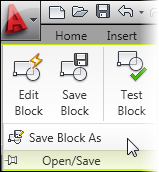
AutoCAD Save Block or save block as

AutoCAD Blocks are a great way of creating standard symbols and details of standard items such as bolts or screws.

How to use AutoCAD layers to organise your Geometry

Autocad-Layer-manager

AutoCAD layers are a bit like transparent overlays. Learn how to use them effectively to manage complicated drawings.

How to create and edit AutoCAD Polylines

Autocad-polyline-properties

Use AutoCAD’s Polylines to help organize your complicated geometry into single entities.